| Support Category: SSO |
| Specialist Notes: |
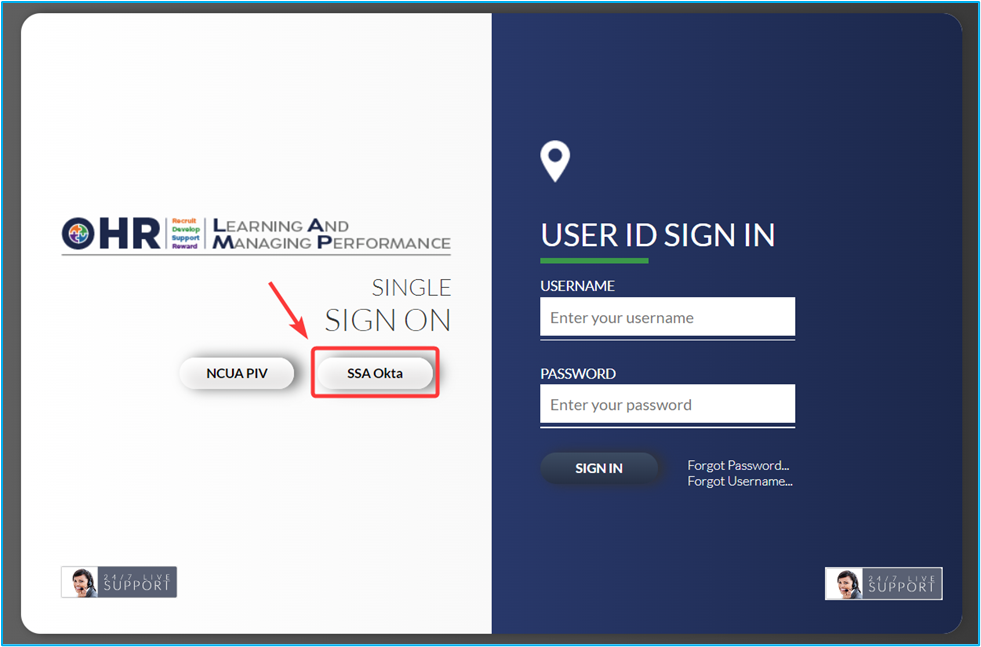
State Examiners are able to log in with the SSO button shown below, and also directly via NCUA Connect (Okta) which should have a LAMP 'tile'. Please provide the SR below, to assist State Examiners with SSO.
IMPORTANT! If, after you provided the SR below, the State Examiner confirms they're experiencing issues with SSO/NCUA Connect, please refer to and utilize this SR: State Examiner | Password Reset |
| Standard Response: |
The NCUA LAMP Administrators advised that State Examiners should be able to access LAMP by clicking the "SSA Okta" button located on the left side of the LAMP login page (https://ncua.csodfed.com/).
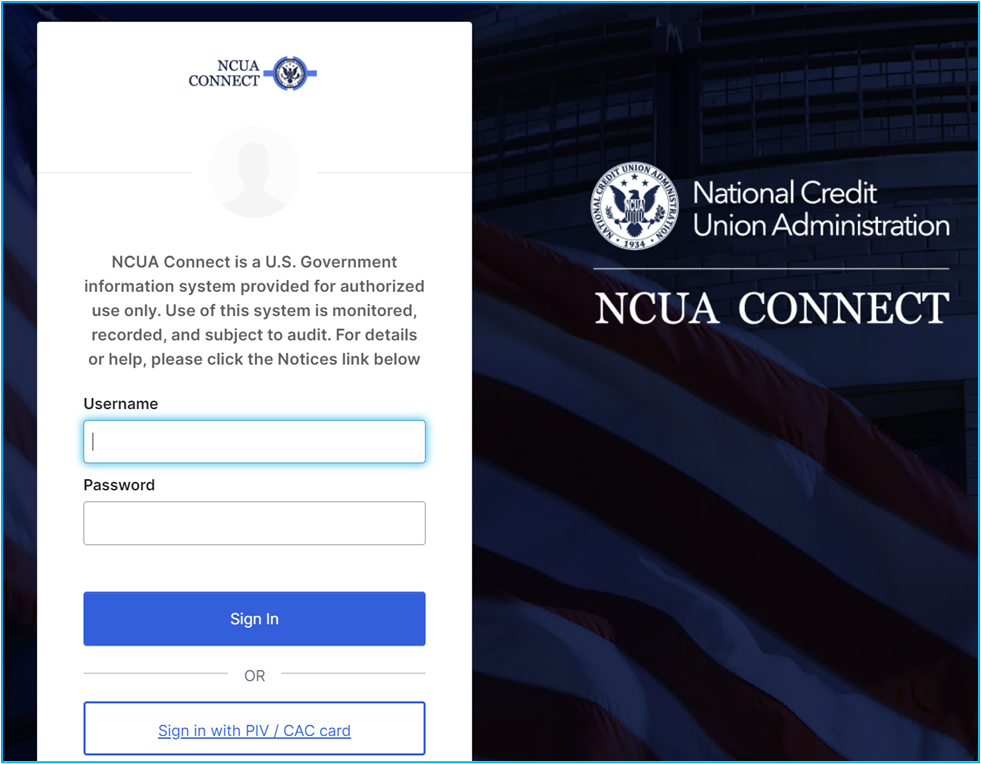
You will then be directed to a page where you will need to enter your NCUA Connect login credentials.
However, should you experience issues with logging in, please let us know. You will need to contact OneStop@ncua.gov for assistance with NCUA Connect, but we can reset your password for LAMP, so that you can log into LAMP while in the process of reaching out to OneStop.
