| Support Category: Course Completion Issue |
There's a common completion issue when users utilize the Menu Navigation as opposed to the navigational buttons on the bottom of the course page. The NCUA Admins advised that to troubleshoot this, the users will need to restart the course and use the navigational buttons. To assist users with course completion for this course, please use the following SR with steps provided by the Admins.
We sincerely apologize for the difficulties you've experienced with the course. Kindly note that the completion is not recognized if you have used the Menu Navigation to proceed through the slides/sections.
The NCUA LAMP Administrators provided the following steps to troubleshoot your course completion:
1. Exit the course and close all browser windows.
2. Use Google Chrome or Microsoft Edge and log into your NCUA LAMP account.
3. Re-start the course from the beginning. (Do NOT choose the option to resume/continue where you left off.)
4. You do not need to re-read every slide if you have already done so. You will just need to revisit each slide (should only take 10 minutes total).
5. To move from slide to slide, always use the NEXT button in the lower right corner (It looks like this >) instead of the Menu Navigation. [see image below]
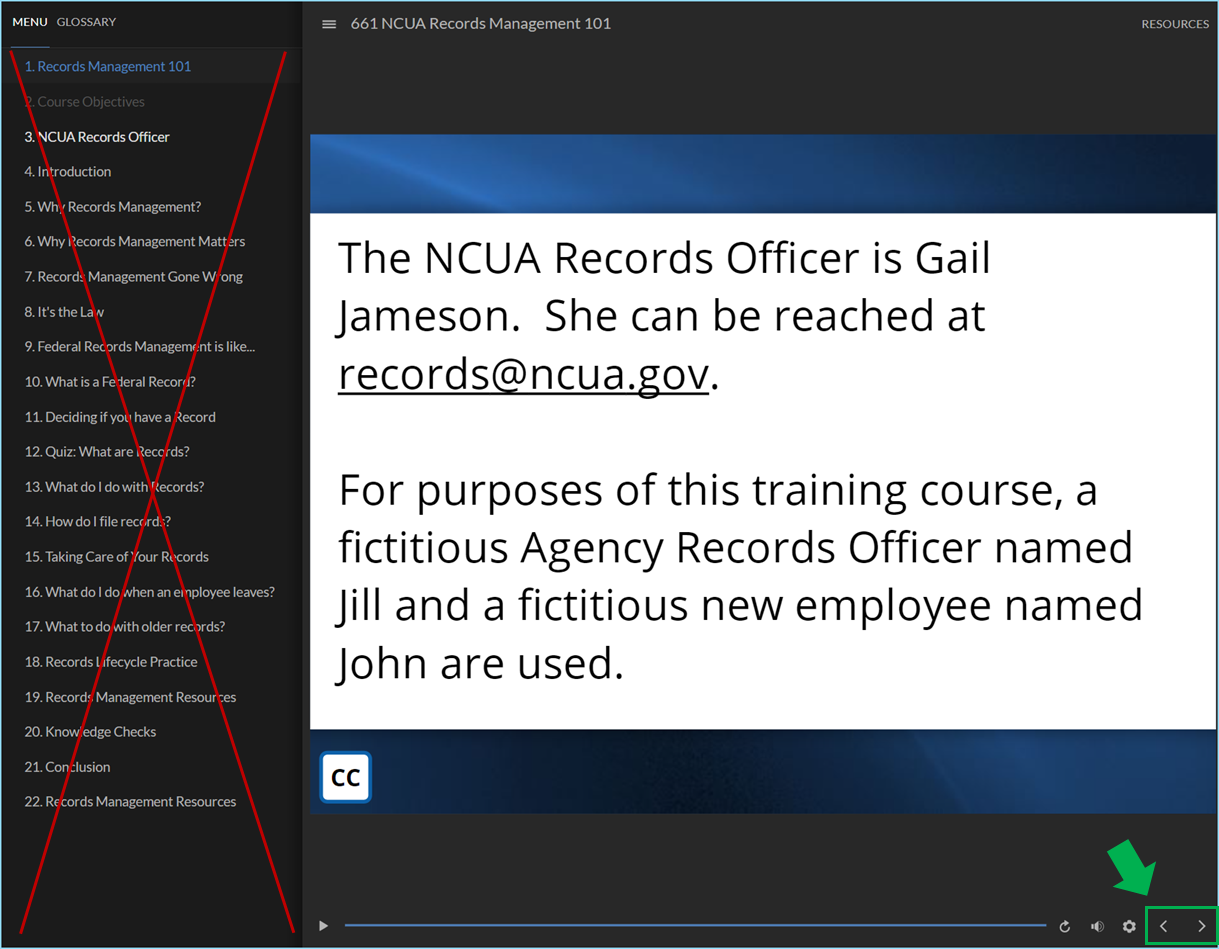
6. On each knowledge check, select the answer; then be sure to click the submit button, or your answer will not register. (The submit button is in the lower right corner and looks like a checkmark) [see image below]
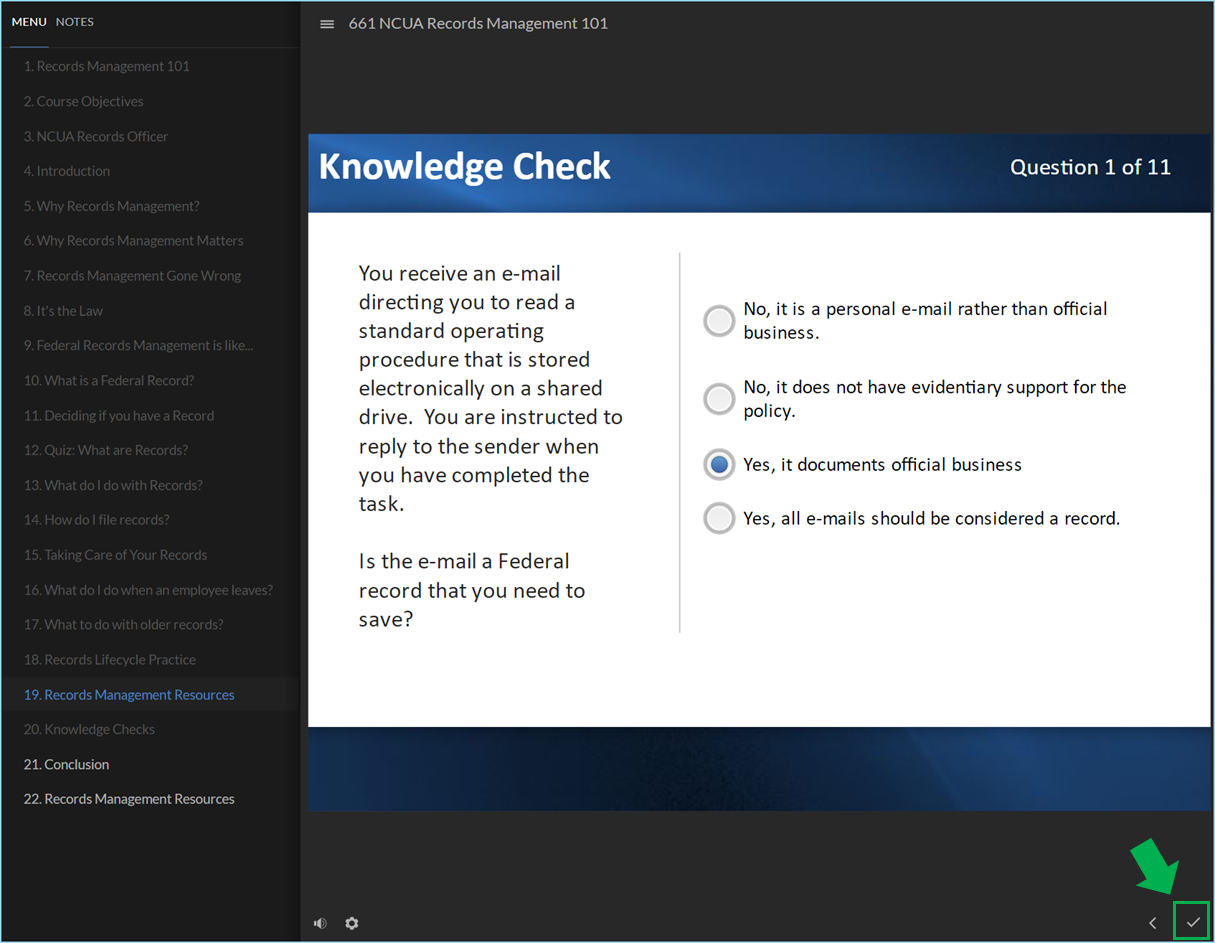
Please let us know if the course moves to completion, or if the issue persists.
