| Support Category: User Account | Account Info Update Request |
| Specialist Notes: |
State Examiners are now asked to provide additional information that was not requested before so that the process for training approvals in LAMP is smooth for them. For new accounts, some information will come from NCUA Connect. However, for existing accounts, users will need to submit an SSA Data Update Form.
The same applies if a State Examiner comes into chat stating that their email or any other account information is incorrect in the system; they will need to fill out the form.
Please provide the SR below, to direct users to locate the SSA Data Update Form.
| Standard Response: |
Kindly note that as a State Examiner, you can submit an SSA Data Update Form in LAMP in order to request any account information changes. To locate the form, please enter "Update Form" in the Global Search box, located at the upper right corner of the LAMP homepage. [Please see screenshot below]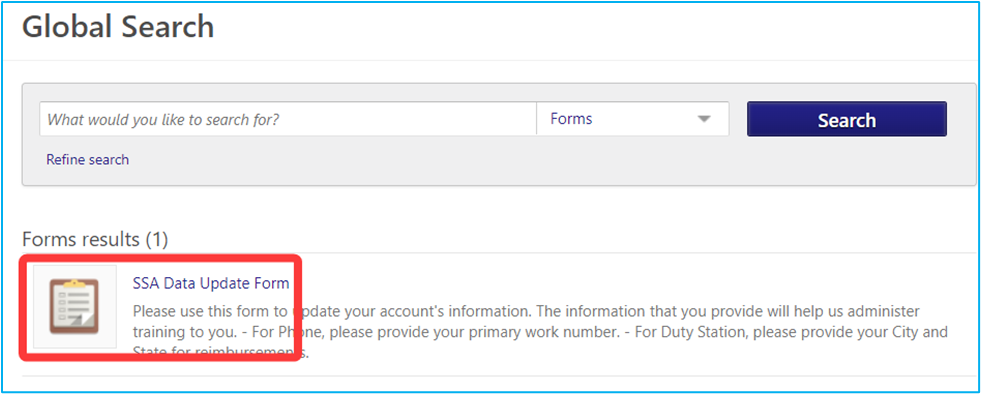
After you click the link and fill out the form, you can submit it for approval. The changes will be properly reflected in LAMP once the State Training Administrators verify and approve the form.
Should the information not be updated within a few days, please reach out to us to let us know. We will escalate a ticket to the LAMP Administrators for further assistance/processing.
